
Loopcon Technologies

Laravel

Scofex - School & Office Expo Platform

Project Overview

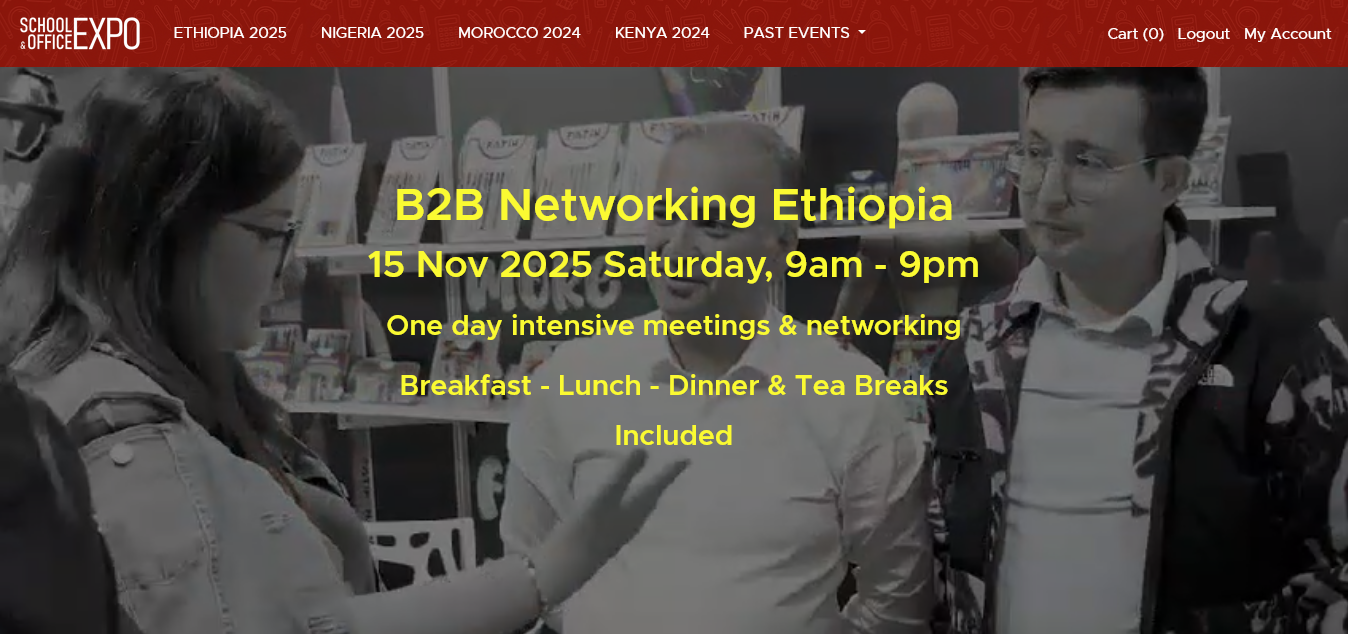
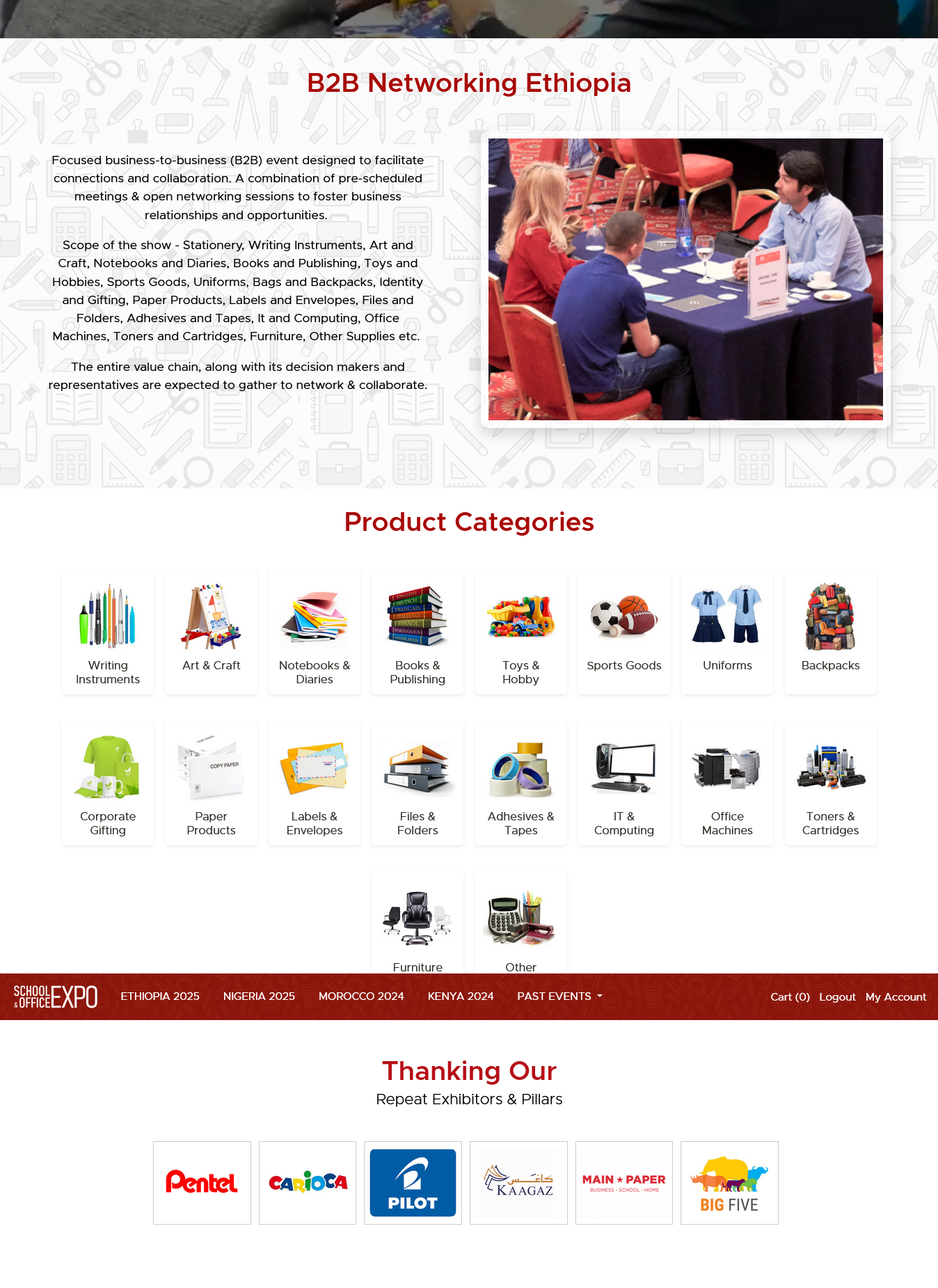
Scofex is the digital platform for School & Office Expo Platform – Multiple Global Expos Platform – Multiple Global Expos — a major B2B exhibition for education & office supplies.

Purpose: Promote the expo or event, showcase exhibitors, manage registrations, and facilitate payments and communication between stakeholders.

Audience: Exhibitors (brands & suppliers), Buyers (schools, institutions, retailers), Expo or Event Organizers, Partners.

Backend: Laravel (PHP Framework)

Frontend: HTML5, CSS, JavaScript, JQuery, Bootstrap

Database: MySQL

Other: Email service (SMTP), Payment gateway (Stripe/PayPal or local provider), CDN for assets

Objectives

  • Create a clear, conversion-optimized website to increase registrations and exhibitor sign-ups.
  • Provide an easy-to-manage CMS for organizers to update content without developer support.
  • Ensure full responsiveness, fast load times, and reliable multimedia support.
  • Integrate secure payment gateway and email confirmations for transactions and registrations.

Challenges

  • Complex product categories and exhibitor information requiring structured taxonomy.
  • Multimedia (video) not rendering in some browsers — need cross-browser fallback solutions.
  • Handling peak traffic during promotion periods and preventing form submission failures.
  • Balancing visual appeal with fast performance and SEO best practices.

Target Users & Stakeholders

Primary Users: Exhibitors (register booths, upload catalogs), Buyers/Visitors (browse, register, purchase tickets).

Secondary Users: Event Staff (manage schedules), Sponsors & Partners (brand visibility).

Stakeholders: Event Organizers, Marketing Team, Finance (payments), Technical Support.

Features & Modules

  • Public Pages: Home, About, Products & Categories, Exhibitor Directory, FAQs, Contact.
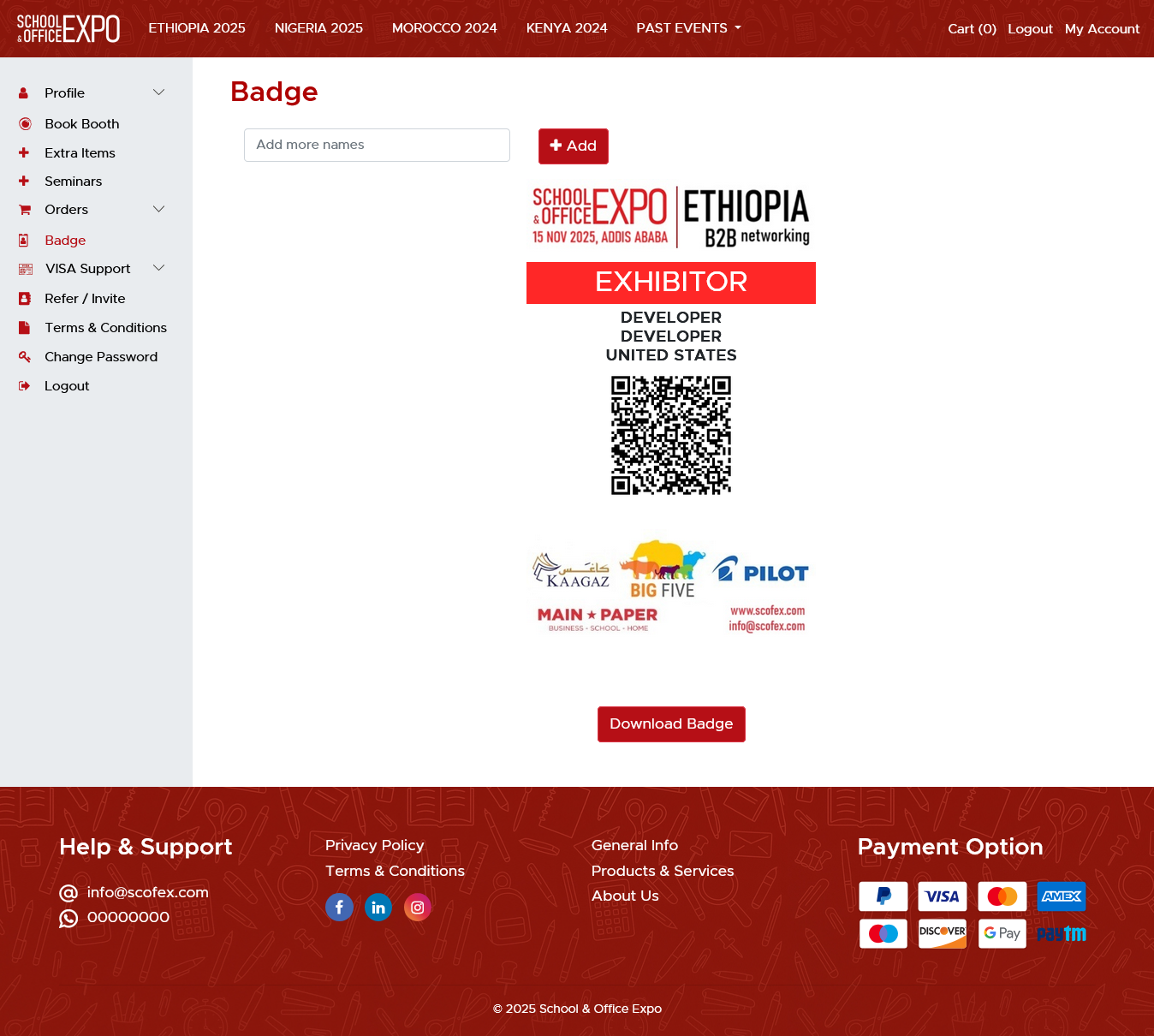
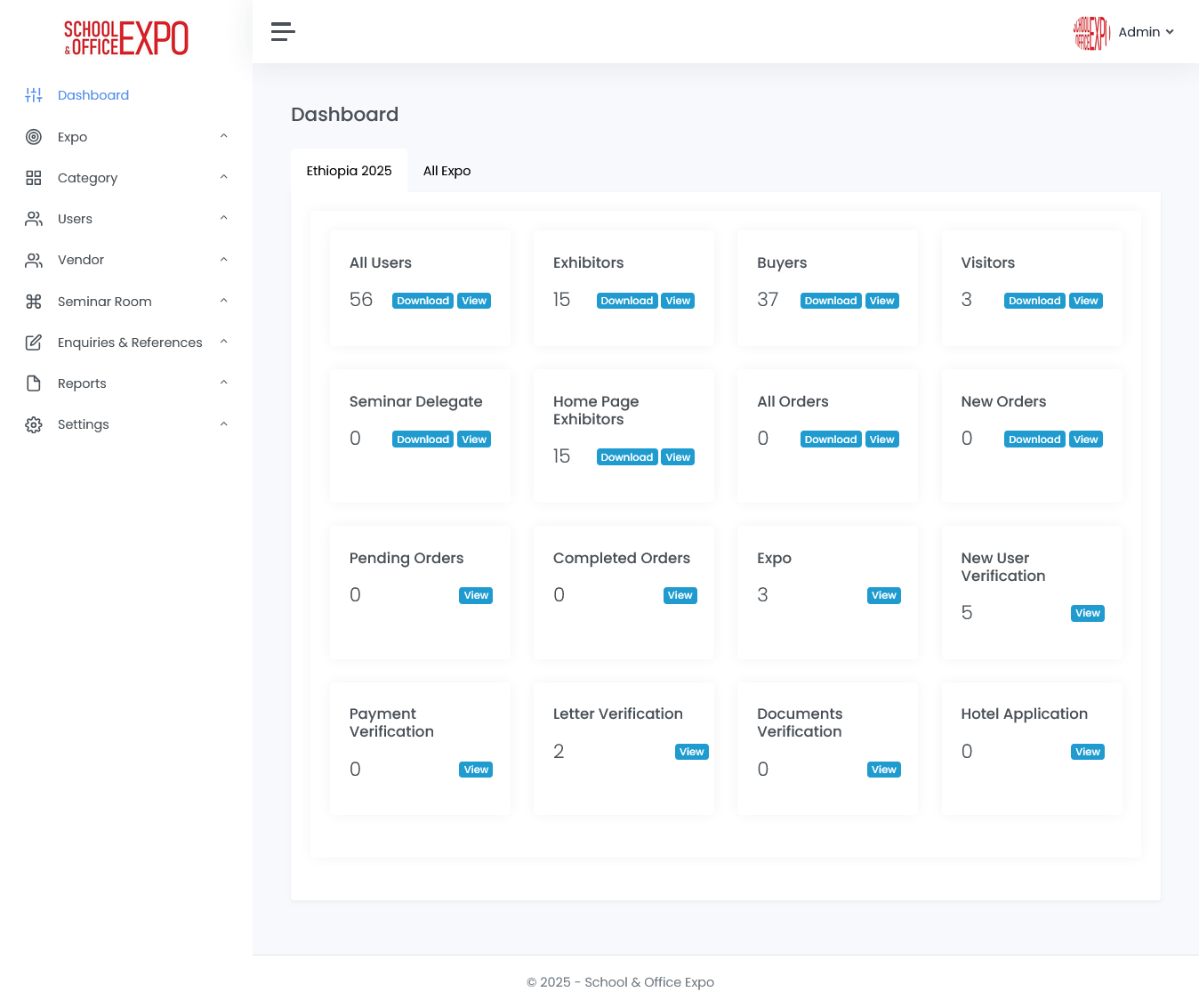
  • User Accounts: Exhibitor registration, Visitor registration, Profile management, Dashboard.
  • Payments: Secure payment integration for bookings and sponsorships (payment gateway).
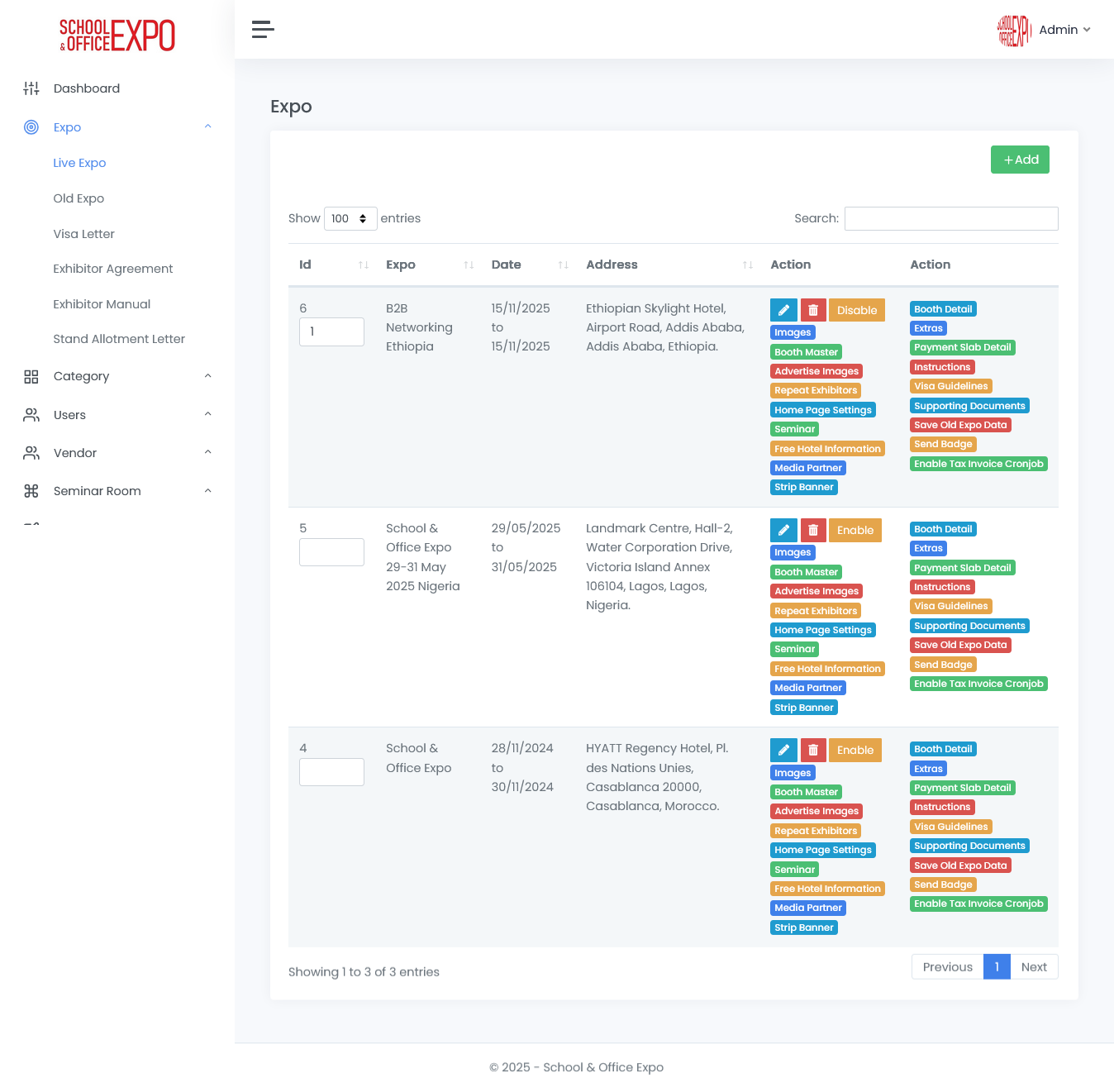
  • Admin Panel/CMS: Content updates, exhibitor approvals, reports, user management.
  • Media Management: Optimized image handling, HTML5 video with fallbacks, lazy loading.

Key Learnings

  • A B2B event website must combine marketing and functionality
  • Clear navigation improves user retention
  • Proper multimedia support enhances engagement
  • Reusable architecture benefits future events

Registration & Payment Flow

  • User lands on event page -> Clicks 'Register' -> Fills form (personal/company details) -> Payment page -> Confirmation email & dashboard access.
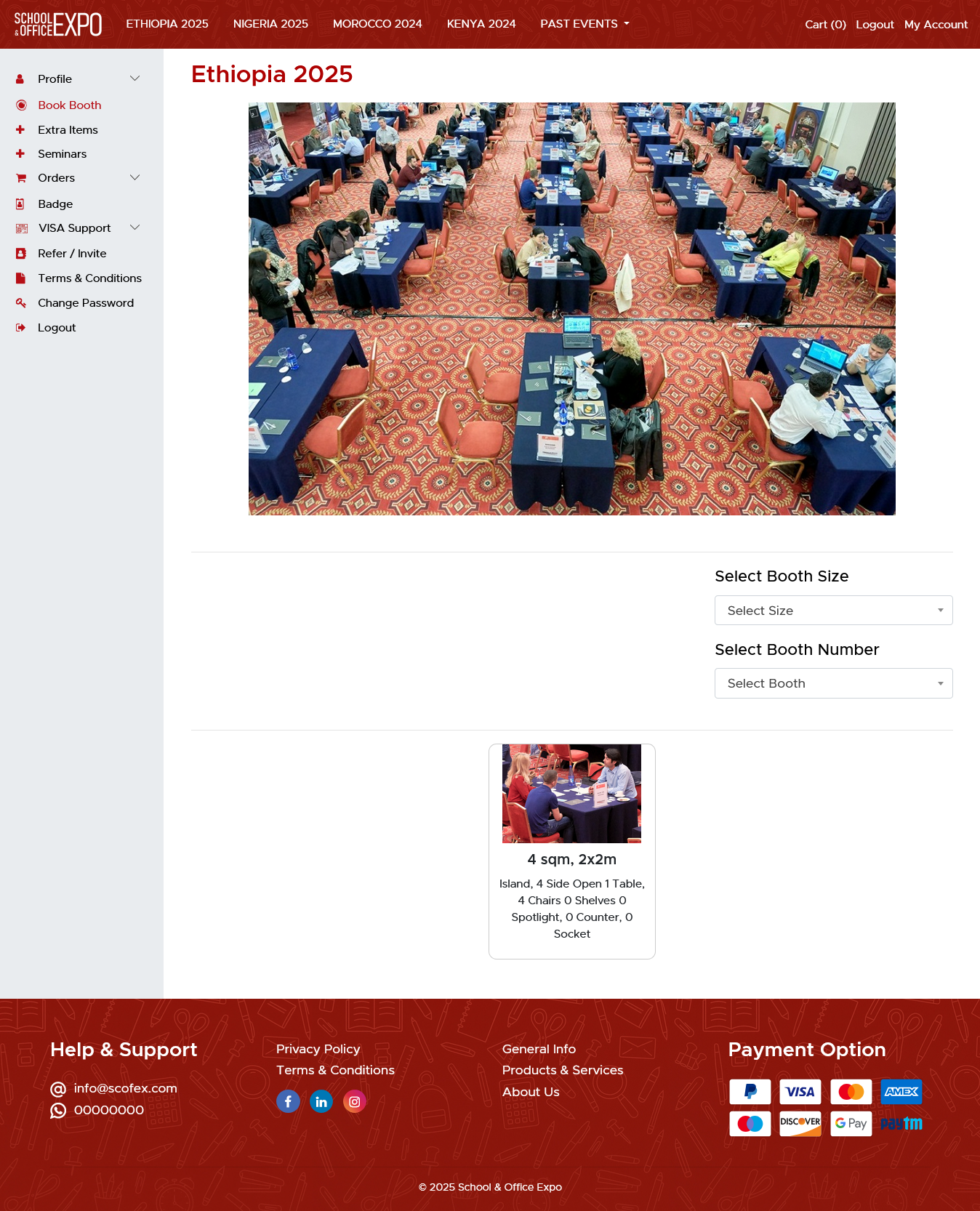
  • Exhibitor flow includes booth selection, document upload (company profile), and invoice generation.
  • Admin receives notifications for approvals and can export attendee lists.

Testing & QA

  • Cross-browser testing (Chrome, Firefox, Safari, Edge) and mobile OS testing (iOS/Android).
  • Form validation both client-side and server-side to prevent bad submissions.
  • Load testing for peak promotion periods and stress testing registration flows.
  • Security checks: input sanitization, CSRF protection, secure storage of credentials.

Deployment & Maintenance

  • Deployed to cloud VPS or managed hosting with SSL and backups.
  • Use of CDN and caching headers for performance.
  • Monitoring: Uptime checks, error logging, analytics for user behavior.
  • Maintenance plan: regular updates, content support, security patches.

Results & Impact

  • Significant increase in online registrations (example: 30– 40% within first month).
  • Lower bounce rate on mobile due to responsive improvements (example: 20–30% reduction).
  • Faster content updates by organizers using CMS; reduced manual effort.
  • Improved exhibitor onboarding and clearer sponsor visibility leading to better conversions.

Timeline & Responsibilities

  • Week 1–2: Requirement gathering, wireframes, and design approvals.
  • Week 3–5: Frontend development and CMS integration.
  • Week 6–7: Backend development, payment integration, and admin panel.
  • Week 8: Testing, feedback iteration, and final deployment.
  • Roles: Frontend Developer, Backend Developer, QA Tester, Project Manager.

Next Steps & Recommendations

  • Add exhibitor analytics dashboard (views, leads, downloads).
  • Implement marketing automations: email drip campaigns, reminders before event.
  • Add multi-language support for wider regional reach.
  • Build a mobile app or PWA for on-site scanning and schedules during the event.

Appendix: Suggested KPIs to Track

  • Registrations (daily/weekly) and conversion rate.
  • Exhibitor sign-ups and sponsorship revenue.
  • Bounce rate and average session duration (mobile vs desktop).
  • Payment success/failure rates and support tickets.

Conclusion

The new Scofex platform offers a seamless, conversion- focused experience connecting exhibitors, brands, and visitors.

It helped Scofex strengthen its digital identity and expand reach in the education and office supplies sector.

Related Case Studies

We are here to help your every business need

We focus on the IT solutions, so you can focus on your business. See what we can do for you today!